
Understanding the Internet: From Origins to How It Works and Its Key Components

The Internet is the most useful tool we have worldwide, yet not everyone fully understands how it works or where it comes from. This vast network has allowed us to browse websites, send emails, stream videos, and communicate instantly with anyone and everyone in the world who is connected to it. But what exactly is the Internet? How did it start? What roles do IP Addresses, ISPs, and networks play here? Can you “create” your own Internet? We will explore these questions in clear terms as we go on with this blog post.

The Origins of the Internet
We’ll start with its origins. The Internet began as a research project in the late 1960s, originally called ARPANET. Its goal was to create a communication system that could survive partial outages, such as during a war. ARPANET (Advanced Research Projects Agency Network) was a great success, but with limited membership, allowing few universities and research centers to share information and resources. In response to this, other networks were created to provide information sharing.
January 1, 1983, is considered the official birthday of the Internet. Previously, computers did not have a standard way of communicating with each other, which introduced the Transmission Control Protocol/ Internetwork Protocol (TCP/IP) in 1970, which was how data moved between computers. This became the foundation of what we know the Internet to be today.
By the 1990s, the Internet expanded beyond academic and military use. The invention of the World Wide Web by Tim Berners-Lee made it easy to access and share information through websites, sparking rapid growth and public adoption.
How the Internet Works: the Basics
In a simplified way, the Internet is just a global system of interconnected networks. These networks link computers, servers, and other devices using physical cables, wireless signals, and routers. When you access a website, your device will send a request to your local network, which then forwards it to your Internet Service Provider (ISP), which they forward to the destination, that being the server that hosts the website you want to access.
Data travels in small packets, each containing part of the message and information about its origin and destination. Routers direct these packets across multiple networks until their final destination has been reached. The destination server then sends packets back to your device, which reassembles them into the webpage or content you requested.
How much time does this whole process take? This takes just milliseconds, allowing near-instant access to information worldwide.
What Are IP Addresses?
Every device that needs to connect to a network, public or private, needs an Internet Protocol Address (IP Address). This address acts like a postal address, identifying the device’s location on the network so data can be sent and received correctly.
There are two main types of IP Addresses:
IPv4: The format is composed of sets of 4 3-digit numbers ranging from 0 to 255 (192.168.1.1). IPv4 supports about 4 billion unique addresses. Computers won't see this as decimal numbers, but instead, in binary. Each decimal in binary represents an octet of binary numbers, so if the octet has the decimal 1, it means the binary will look like this: 00000001. (11000000.10101000.00000001.00000001 from the previous example)
IPv6: A newer format, with a hexadecimal format, in which the range is between 0–9 in decimal numbers and A-F (which represent 10,11, 12,13,14,15). This is designed to provide a vastly larger number of unique addresses, given that we have computers, phones, smart cars, smart refrigerators, smart TVs, and other devices that likely will have an IP address. Also, considering that we have billions of people on the planet, who may have some form of a device with access to the Internet, using IPv4 may give us a limited number of IPs to use.
Public vs. Private IP Addresses
IP Addresses fall into two categories:
Public IP Addresses: These IP Addresses are unique and are assigned by ISPs across the entire Internet. These addresses allow devices to communicate globally.
Private IP Addresses: These IP Addresses are used within local networks, such as your home or office. They are not unique globally and cannot be accessed directly from the Internet.
A private IP Address will be assigned to a laptop, smartphone, smart TV, and general IoT items, assigned by your home router. While a public IP address will be assigned by your ISP towards your home router.
What Are NATs?
Network Address Translation (NAT) is a technology that allows multiple devices on a private network to share a single public IP address. Your router uses NAT to translate private IP addresses into public IP addresses when sending data to the Internet and vice versa when receiving data.
NAT helps with conserving the limited number of public IP addresses and adds a layer of security by hiding internal network details from the outside world.
Who Owns the Internet?
The Internet is one of the few things that exists that does not have a singular owner. Not a singular person, company, nor government owns and controls the Internet. It is a decentralized network managed by many organizations worldwide. Various groups, however, coordinate standards and protocols to keep the Internet running smoothly:
ICANN (Internet Corporation for Assigned Names and Numbers) manages domain names and IP address allocation.
IETF (Internet Engineering Task Force) develops and promotes Internet standards.
RIRs (Regional Internet Registries) allocate IP addresses to ISPs and organizations in different parts of the world.
What Are ISPs?
Internet Service Providers (ISPs) are companies that provide access to the Internet. They own and maintain the infrastructure needed to connect homes, businesses, and other networks to the global Internet.
ISPs offer different types of connections, including:
Fiber optic: High-speed, reliable connections using light signals.
Cable: Uses existing cable TV infrastructure.
DSL: Uses telephone lines for Internet access.
Satellite: Provides connectivity in remote areas via satellites.
Mobile networks: Cellular data connections through 4G, 5G, etc.
How Can I Access the Internet?
Accessing the Internet will require a few key components:
A computer, smartphone, tablet, or a device with network capabilities.
An active ISP subscription that provides Internet Access
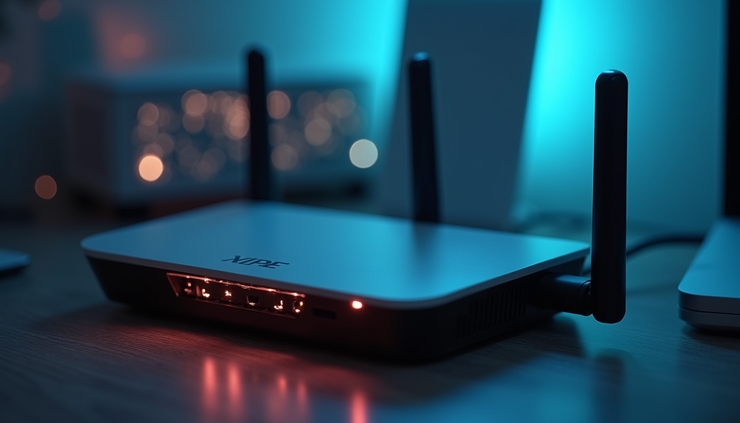
A router or modem that connects the local network to the ISP’s network
Can I Make My Own Internet?
Yes! You absolutely can! Though it is a complex and expensive project to do, given the vast amount of infrastructure and coordination needed to build a fully functioning Independent Internet. However, you can build private networks that function similarly on a smaller scale:
Local Area Networks(LANs): devices within your home, office, or campus
Mesh Networks: allow devices to connect directly to each other, extending coverage without relying on traditional ISPs.
Community networks: shared networks built and maintained by groups of people in a specific neighborhood or region.
Summary
The Internet is a complex system that started small and has expanded to all cities, states, countries, and continents, creating a way for everyone and anyone who has a computer in their home or in their pocket to stay connected in the most convenient way possible. With technical designs such as NAT, TCP/IP, public and private IP Addresses, we are still finding ways to have a more secure and quicker way of sending and receiving data packets.


Comments